
Invoice Management System
Invoice Management System for professional invoices and PDF documents
Client selected. Lines added from the price list. VAT calculated. PDF ready. IMS is for that invoice loop — not for rebuilding a Word or Excel copy every time.
Auto VATPDF exportMulti-languageHardware license
Why this software exists
Invoices drift when clients, VAT and PDF layout are rebuilt by hand
Invoice work slows down when every document starts from an old file: wrong client details, inconsistent VAT, uneven layout. The delay is not typing speed — it is missing reusable structure. IMS exists for company data, clients, price-list items/services, invoices/proforma/pre-invoice with auto VAT/discounts, PDF output, multi-language/currency and offline EXE with hardware-locked license.Typical control gaps
- Old invoice files are copied with wrong client or VAT data.
- Proforma and final invoice are not linked in one history.
- Multi-currency quotes require manual conversion outside the document.
- Document archive is incomplete or scattered in folders.
- No controlled backup of issued document database.
Typical users
Who prepares invoices that must look the same every time
Admin, sales support and owners who bill repeatedly and need consistency — not brochure audiences.Office administratorsSmall companiesSales supportService businessesFinance assistants
Office administrators
Prepare invoices, proforma and pre-invoices repeatedly with consistent layout and VAT.Owners of small companies
Need professional documents without admin overhead or cloud dependency.Sales support
Issue documents quickly after deals close using reusable client and price-list data.Finance assistants
Keep issued documents in application history and export PDF for follow-up.Service businesses
Bill materials and services with automatic line calculations and discounts.Typical workflow
Client → lines → VAT → PDF invoice
Short path from client selection to PDF — with backup at the end of the cycle.Company data↓Clients↓Price list (items/services)↓Invoice / proforma / pre-invoice↓Auto VAT & discounts↓PDF export↓Backup
Daily use
An admin day measured in finished invoices, not file hunting
IMS shortens the path from request to PDF while keeping client, price-list and document history in one offline desktop application with hardware-locked license.Business results
What improves when every invoice reuses the same client and VAT structure
Faster issuance
Reusable clients and price list reduce copy-paste work.Consistent VAT and discounts
Automatic calculation reduces manual cell errors.Professional PDF
Uniform output ready to send the same day.Document history
Issued documents remain available inside the application for later checks.Product screens
Screens from invoice editor, clients and PDF output
Editor and document flow first; company setup last.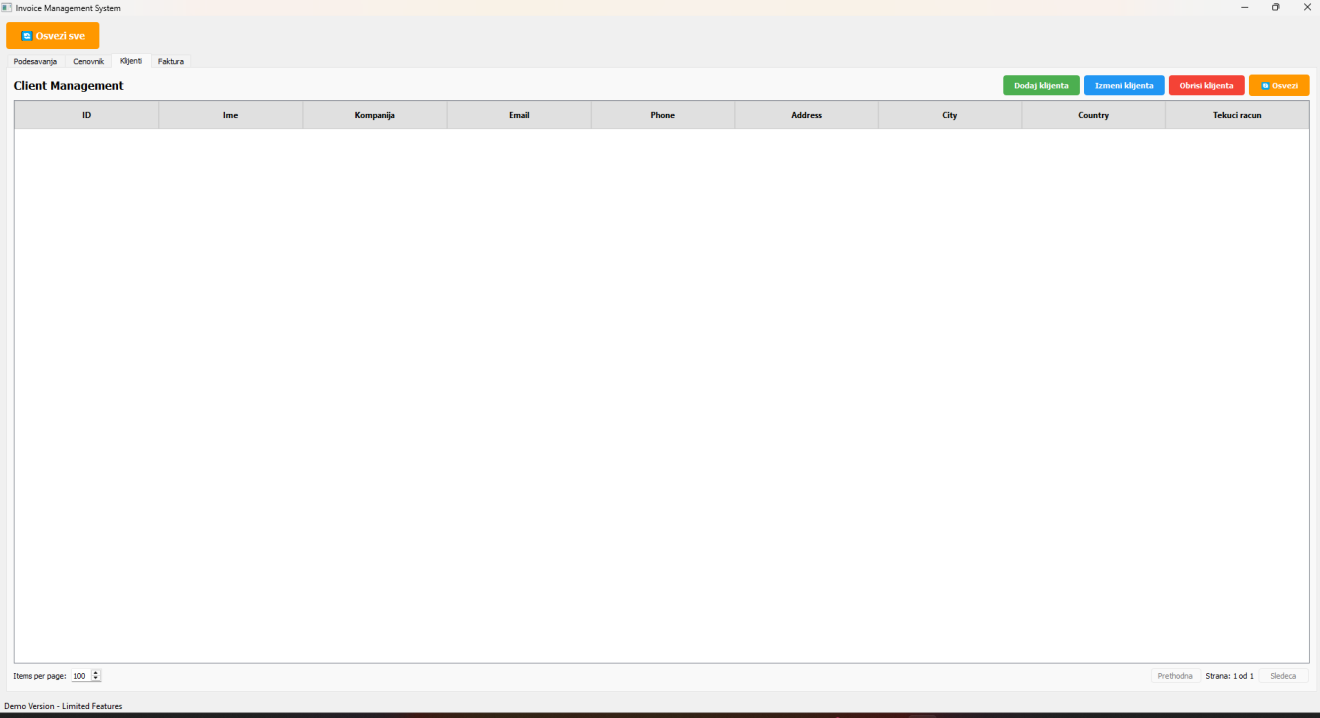
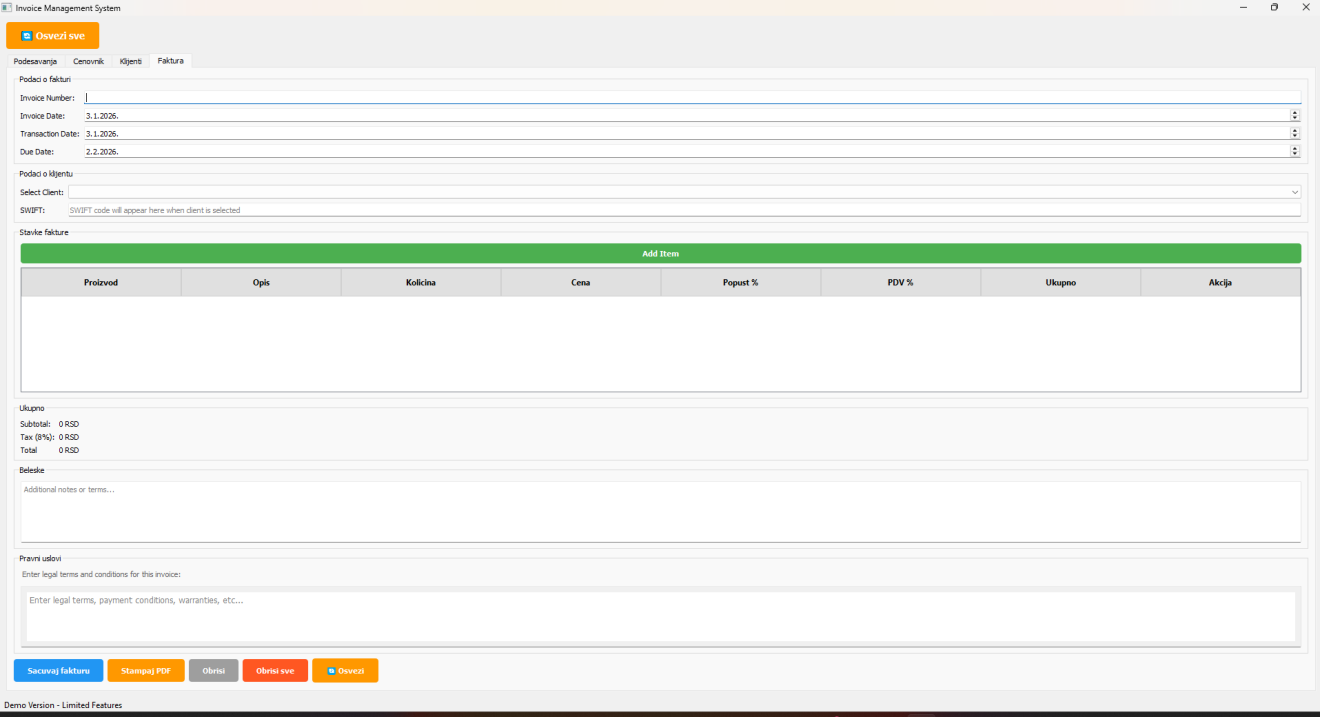
Invoice editor: lines with automatic VAT, discounts and document totals
Practical capabilities
Invoice modules that keep billing consistent
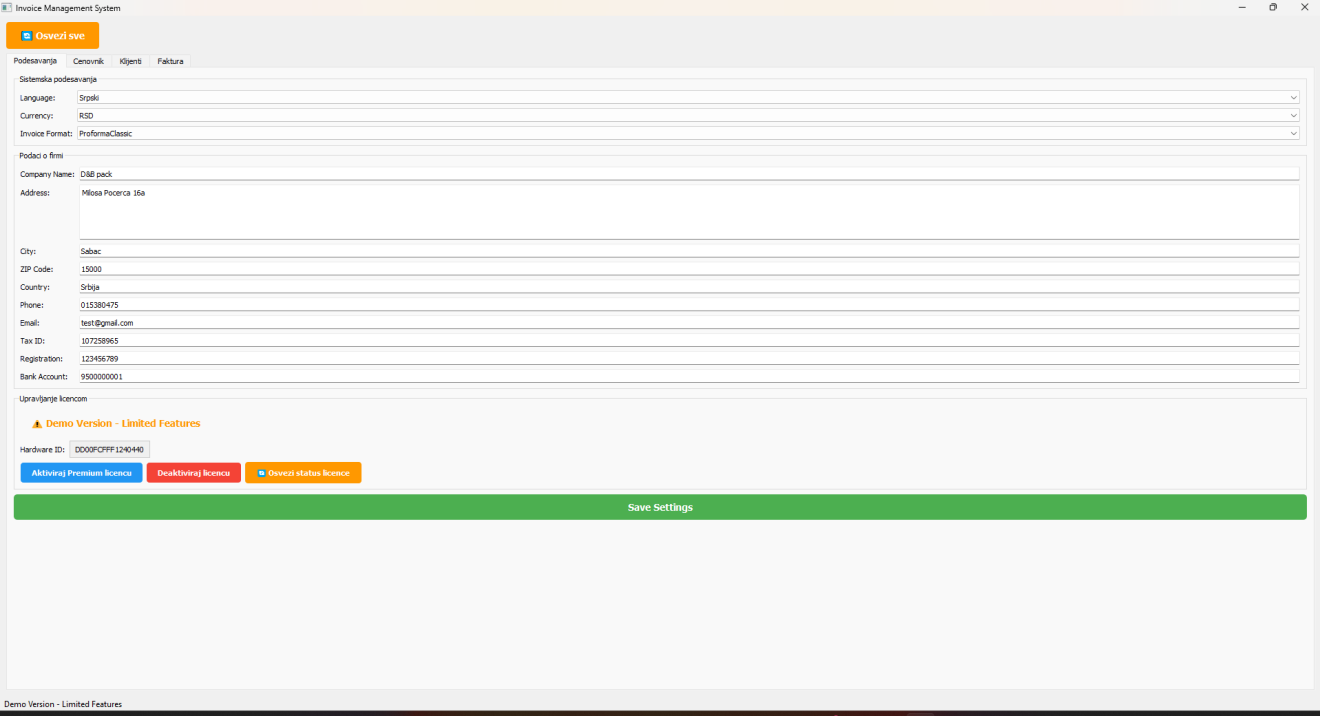
Real modules from the application — explained as daily business use, not as a feature dump.Company data
Legal entity, logo, default language and currency for every document.Clients
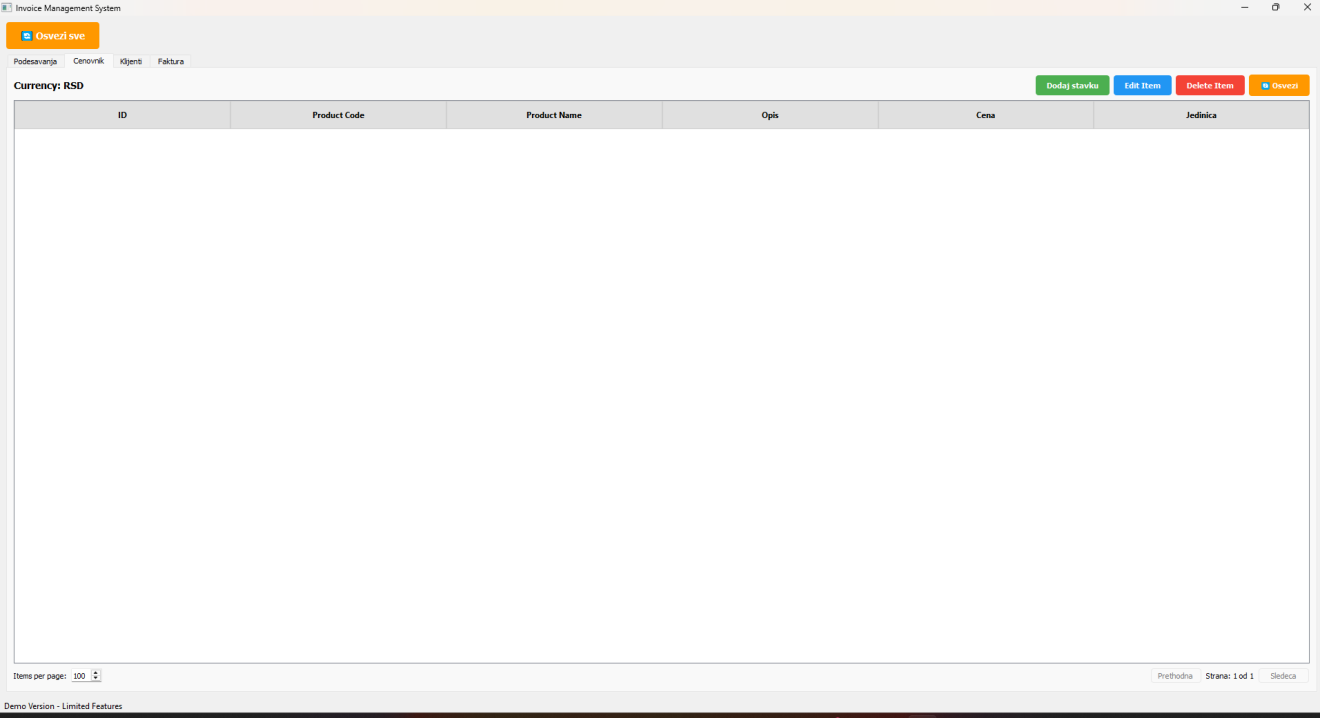
Central customer register reused across invoices, proforma and pre-invoice.Price list
Articles and services with units and prices ready for line selection.Invoices / proforma / pre-invoice
Issue the document type you need from the same client and line structure.Auto VAT & discounts
Automatic amount, VAT and discount calculation reduces manual cell errors.PDF output
One-click professional PDF ready to print or send the same day.Document history
Issued documents remain available inside the application for later checks.Multi-language & currency
Five languages and ten currencies applied from company settings.Hardware-locked license
Offline Windows EXE with license tied to the company computer.Compared with Excel
- Excel can calculate lines; document process, VAT rules and archive usually remain fragile.
- IMS focuses on repeatable issuance, PDF export and history in one desktop tool.
- Teams stop depending on personal invoice templates and folder archaeology.
Why not stay in spreadsheets?
Why IMS beats personal invoice templates in Excel
Excel can total lines, but professional invoices need reusable clients, VAT rules and PDF history — not a personal template that changes with every file copy.Implementation
Prepare company and client data first, then standardize issuance
- Install offline EXE and enter company document defaults.
- Load key clients and price-list items/services.
- Issue first invoices through the standard flow with VAT verified.
- Use PDF export as the send format; backup database regularly.
See if IMS can shorten your invoice preparation loop
Review pricing or contact us with your current document volume.FAQ