
Production Planning Assistant
Production Planning Assistant for work orders, BOM and material readiness
Can this job start? PPA checks BOM materials, reserves what the work order needs, and schedules only what stock can support — so the floor starts fewer jobs that stall mid-run.
BOM & price listMaterial reserveWork ordersLocal backup
Why this software exists
False starts begin when work orders ignore material readiness
Planning fails quietly: a work order is released, materials are short, and the floor discovers the gap only after the job has already started. PPA exists to make readiness visible before release. PPA exists to connect price list, BOM, material stock with reserved/min/max levels, work orders and the production planner in one local desktop application.Typical control gaps
- Work is released before materials are confirmed against BOM.
- Finished-goods stock is unclear when sales asks what can ship.
- Material min/max alarms are ignored because they live outside the plan.
- Production cost visibility depends on rebuilding Excel every week.
- Backup of planning data is informal or absent.
Typical users
Who decides which work orders may start
Built around planners and supervisors who release work — not generic business teams.Production plannersManufacturing supervisorsMaterial coordinatorsPlant ownersMake-to-order shops
Production planners
Build work orders, reserve materials and schedule jobs by day and line using real stock and BOM data.Manufacturing supervisors
See which jobs are planned, in progress or finished — and what materials block release.Material coordinators
Monitor reserved, available and min/max material levels before approving production start.Plant owners
Need fewer surprises between promise date and shop-floor reality without ERP overhead.Administration & reporting
Export material consumption, work-order realization and stock-value reports to Excel.Typical workflow
BOM check → reserve → schedule → release
From BOM and material readiness through planner scheduling to finished-goods stock and backup.Price list↓BOM per product↓Material stock (reserve/min/max)↓Work orders↓Production planner↓Finished goods stock↓Reports / Excel↓Backup
Daily use
A planning day that protects the floor from empty promises
PPA keeps the planning conversation inside one record: check material stock, open work orders, reserve and schedule in the planner, track completion and export reports — then backup at close.Business results
What improves when BOM readiness gates the work order
Material-aware release
BOM and reserved stock reduce jobs started into shortages.Clear finished-goods picture
Know how many finished units are on hand and their value.Shared planning status
Work-order status is visible instead of trapped in personal lists.Export-ready reports
Material use and realization export to Excel for management review.Product screens
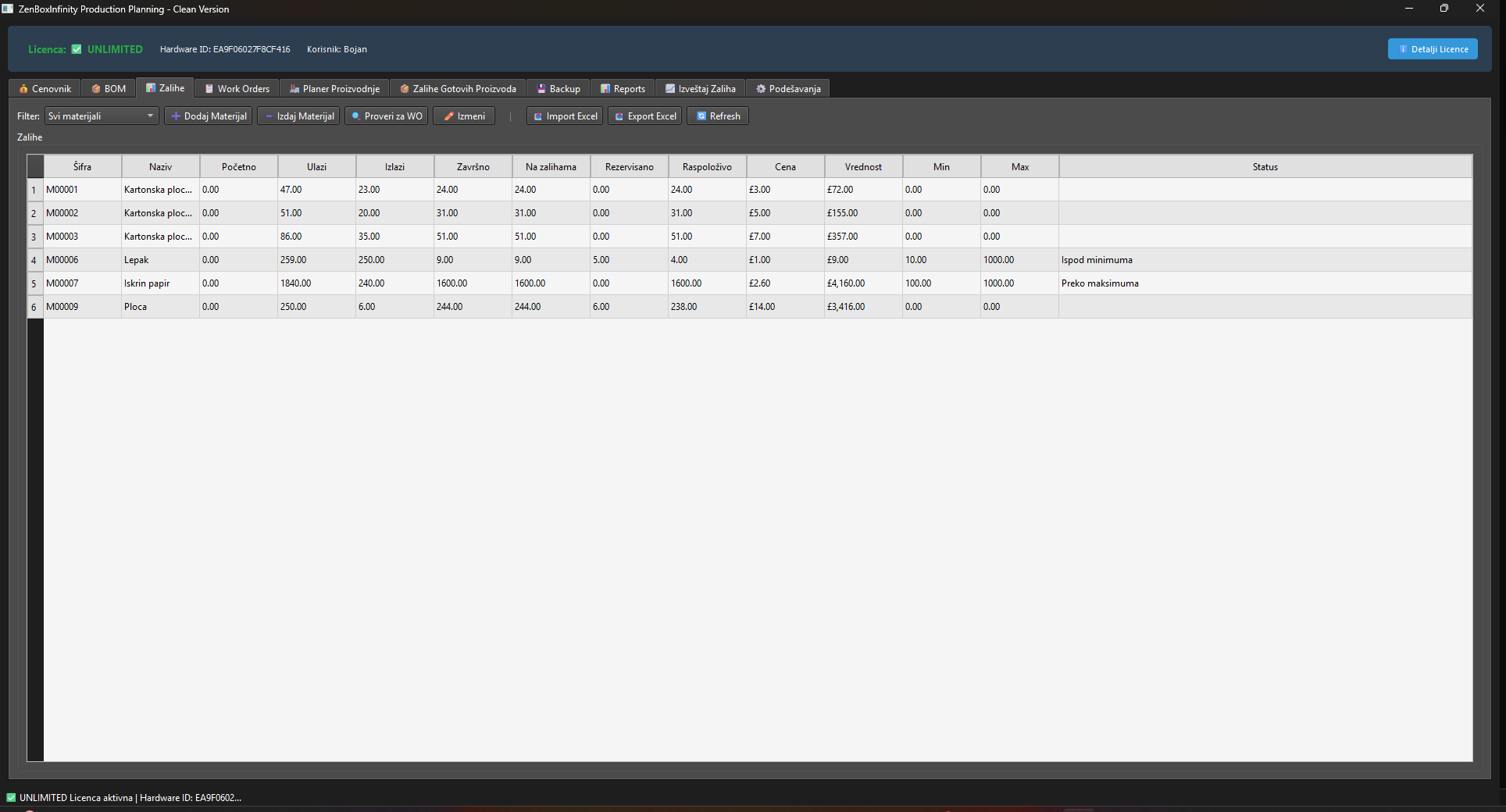
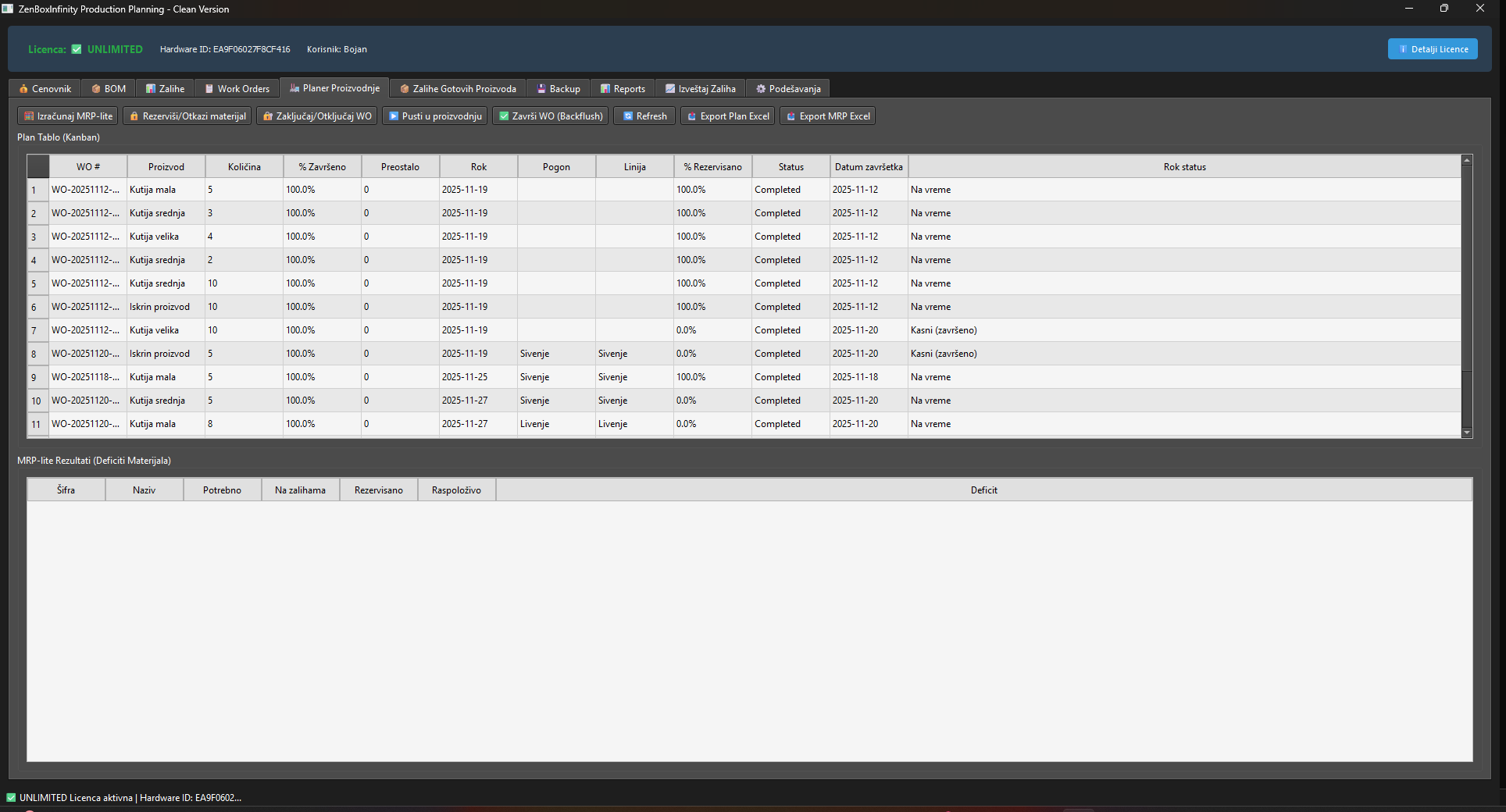
Screens from BOM readiness, reservations and work orders
Work orders and planner views first; setup screens last.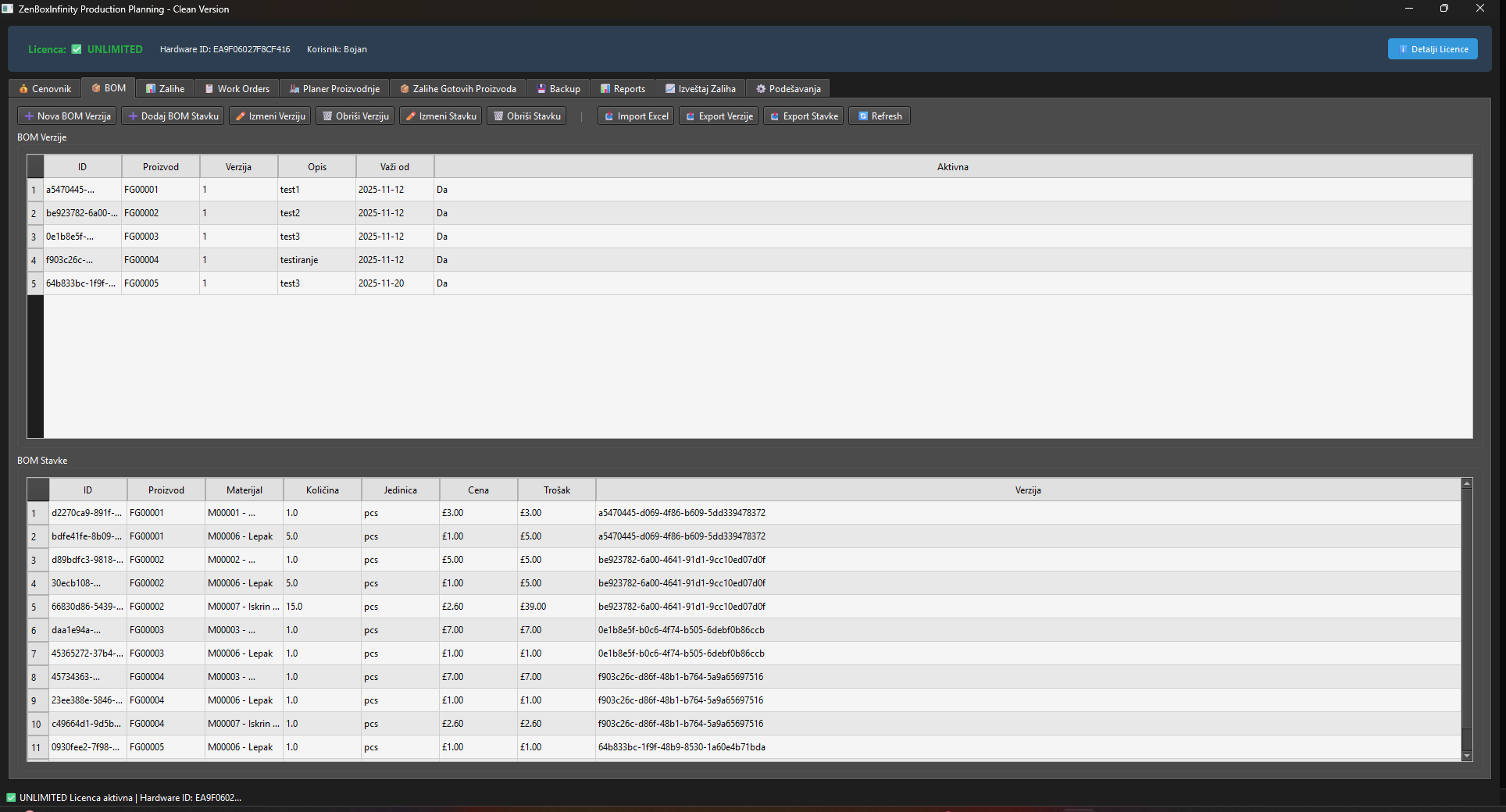
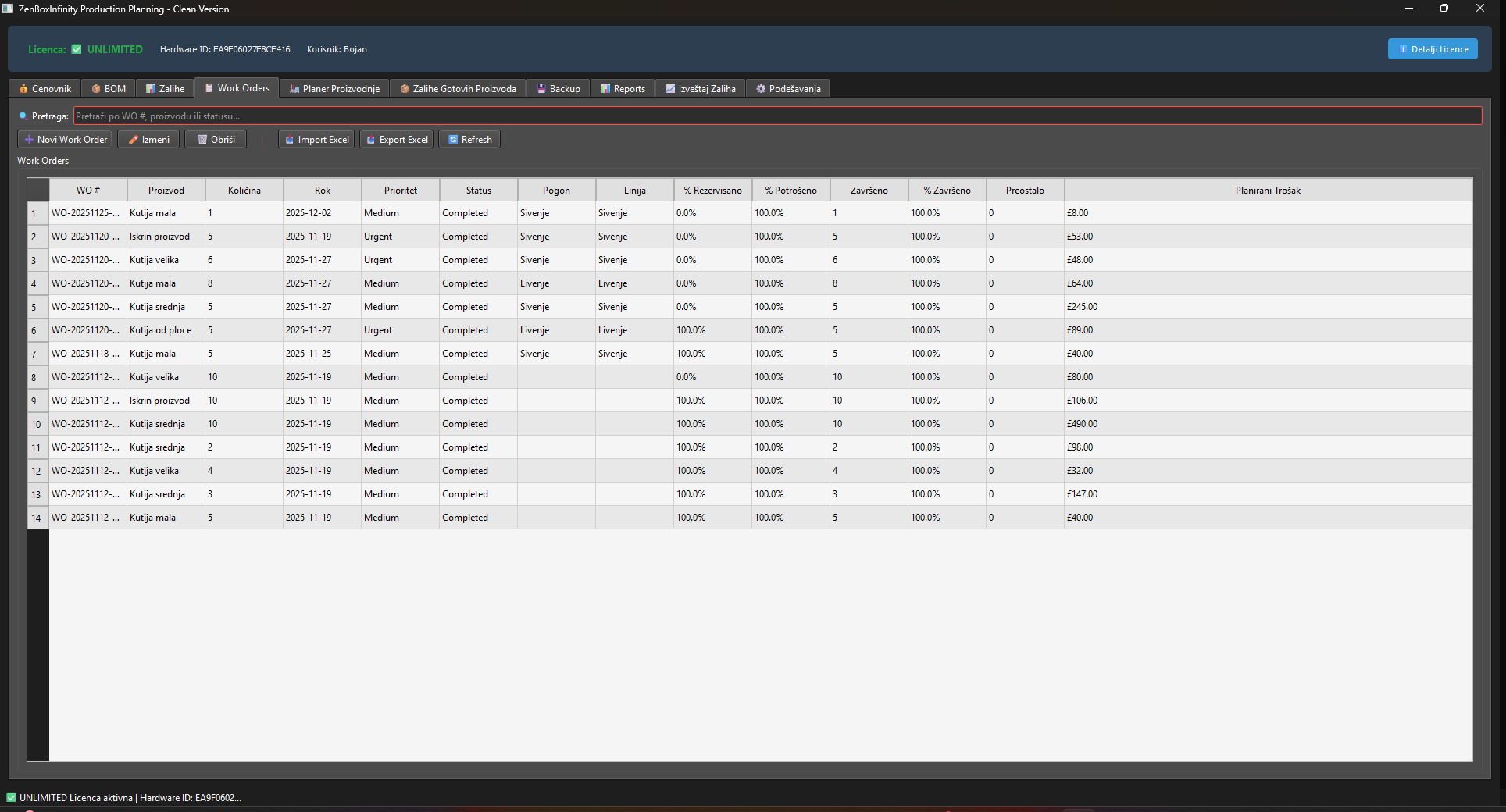
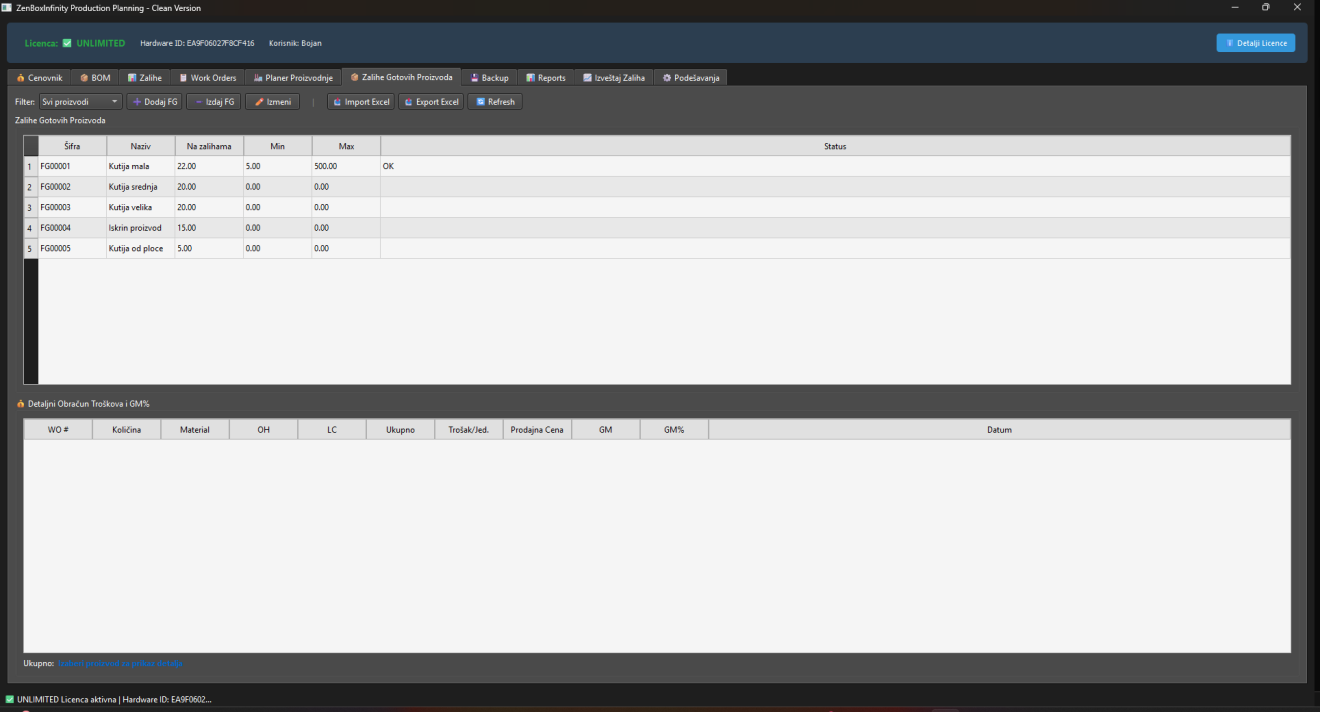
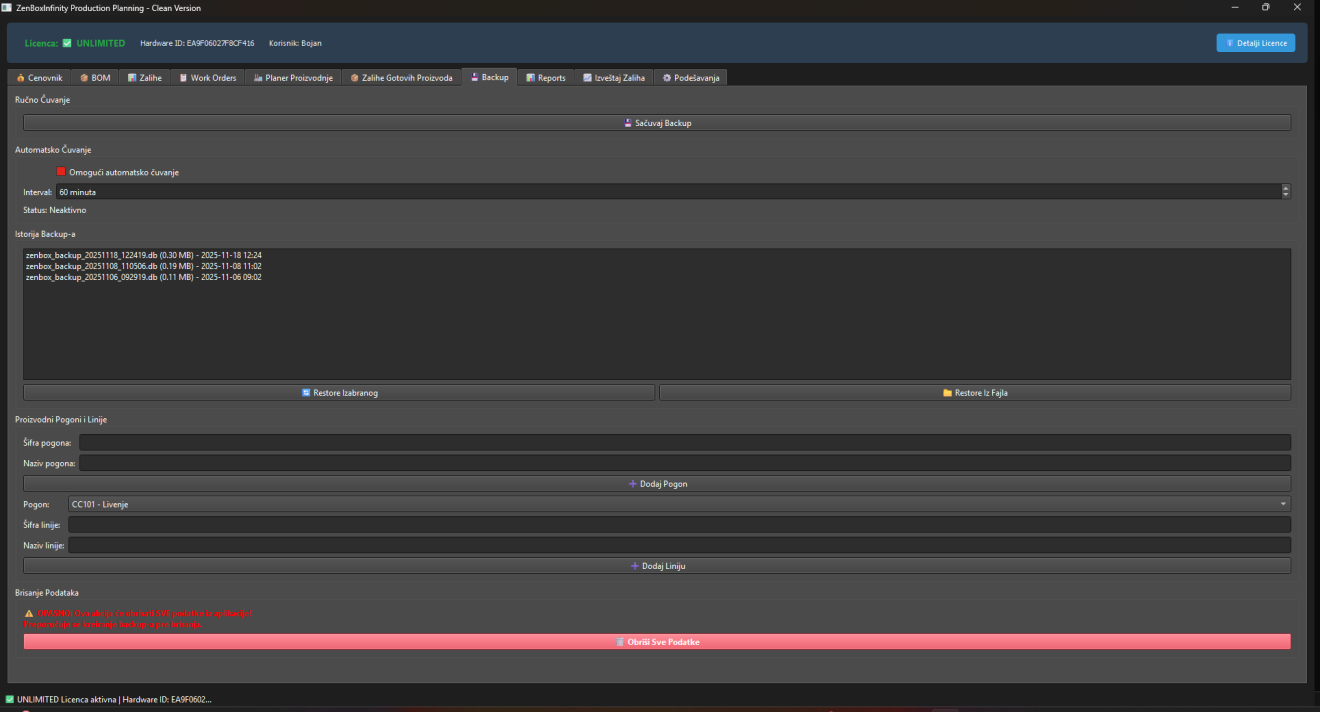
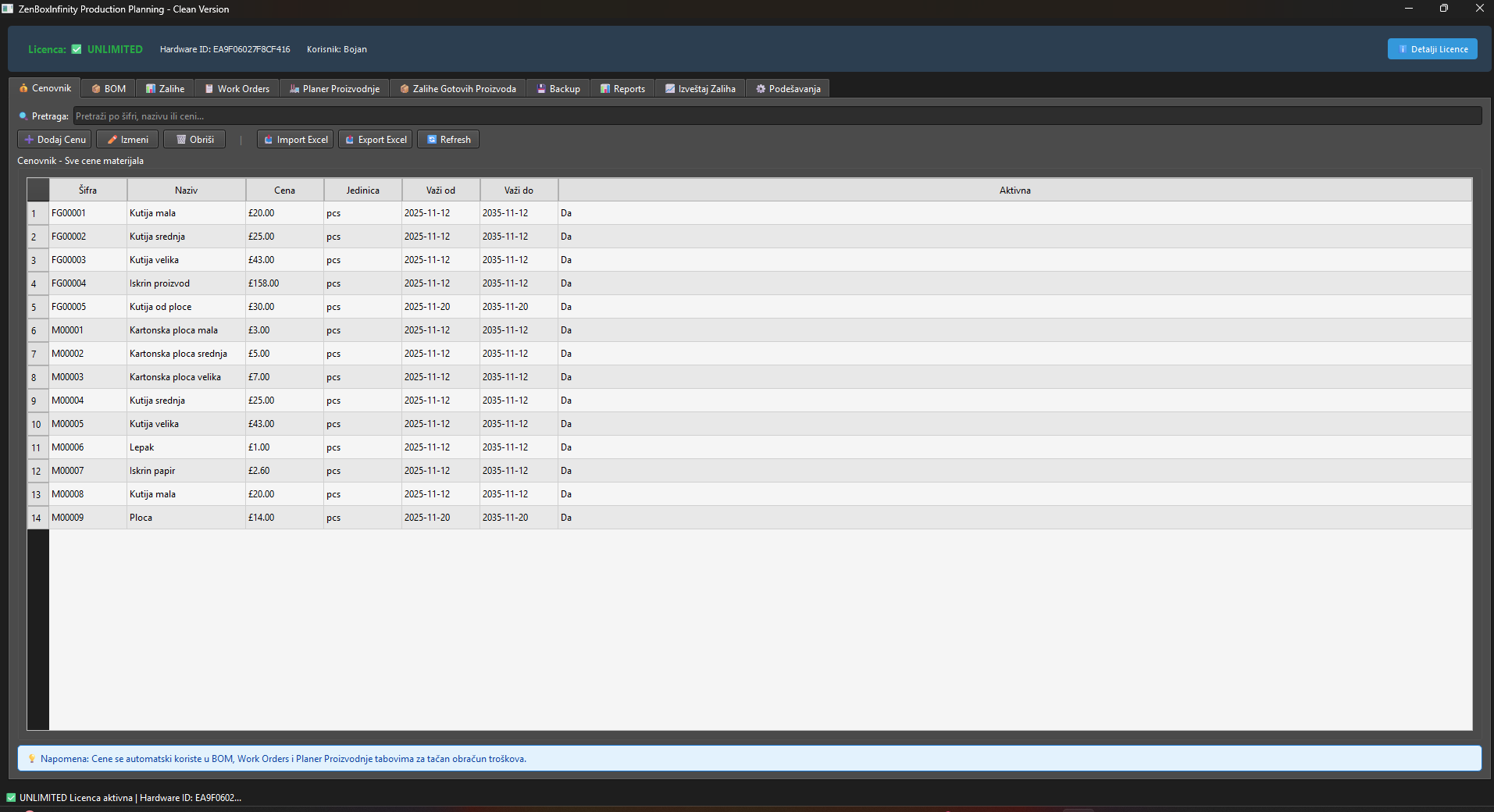
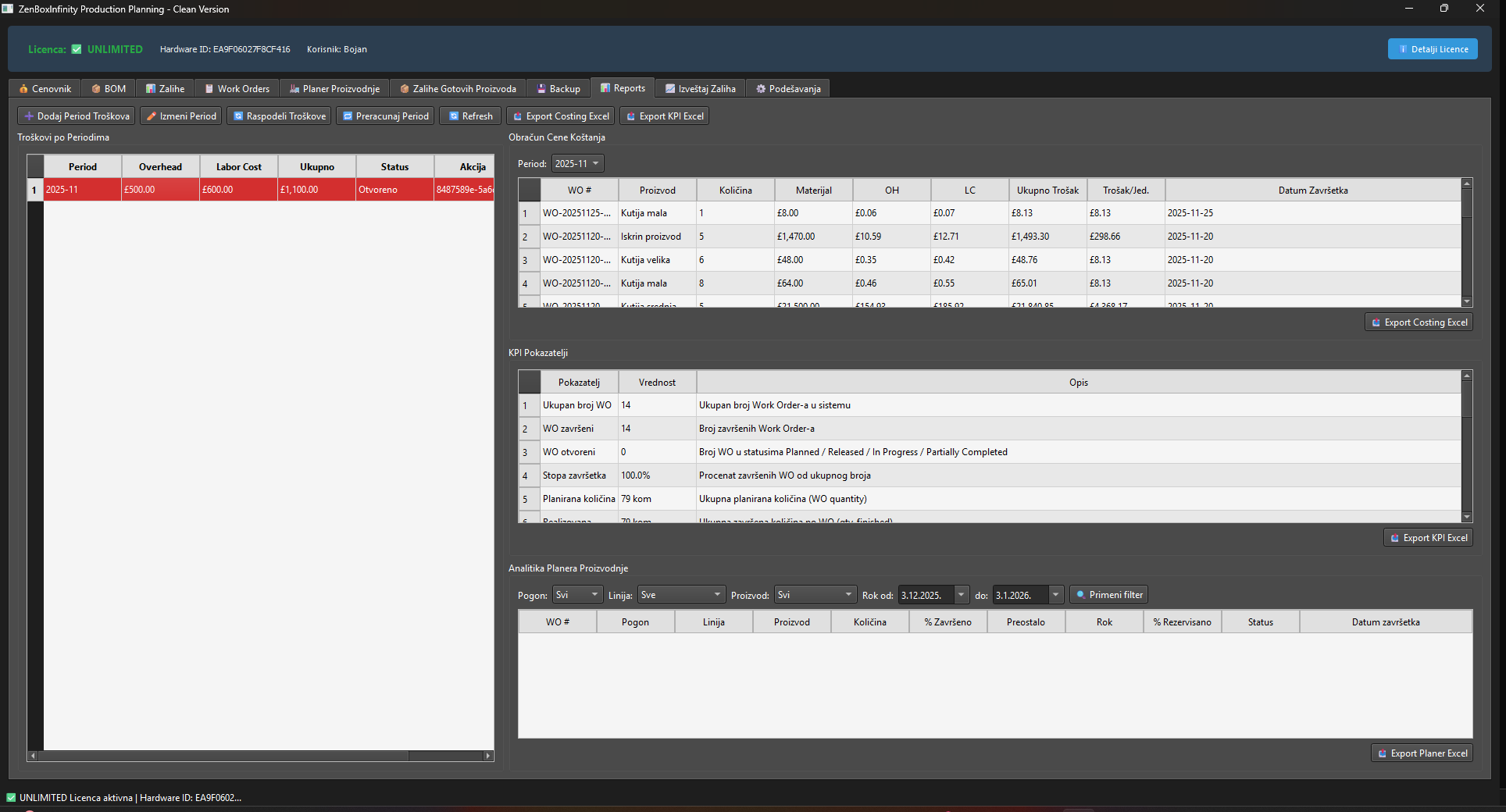
Work orders: open jobs with product, quantity, deadline and status
Practical capabilities
Planning modules that connect BOM, stock and release
Real modules from the application — explained as daily business use, not as a feature dump.Price list
Central prices for materials and finished products used in calculations, planning and reports — one change applies everywhere.BOM (product structure)
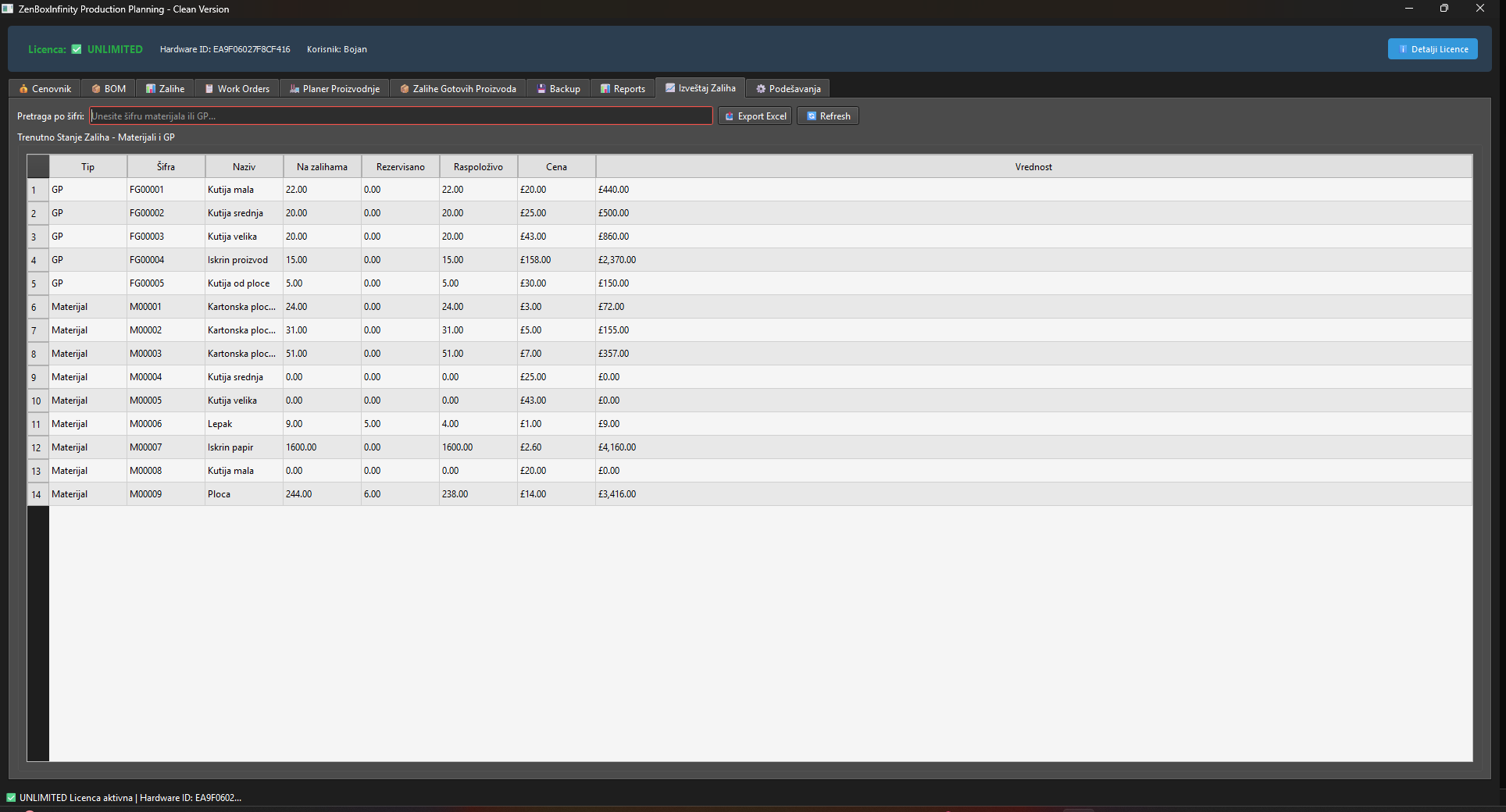
Define which materials and quantities enter each product; BOM drives availability checks and material reservation.Material stock
See on-hand, reserved, min and max levels — so planners know what can be released before the floor starts.Work orders
Open jobs with product, quantity and deadline; track planned, in-progress and finished status.Production planner
Reserve materials for specific orders, schedule by day and line; on completion materials issue and finished goods receive automatically.Finished goods stock
Track finished inventory quantity and value for shipping prep and sales planning.Reports & Excel export
Material consumption, work-order realization and stock-value summaries export for further analysis.Backup
Manual one-click backup and simple restore — planning data stays on the company computer.Compared with Excel
- Excel can list jobs. PPA connects jobs to BOM, reserved materials and finished-goods stock.
- Status and material readiness disappear in file versions; PPA keeps them in one shared application.
- Planning becomes an operating process with backup — not a weekly formatting exercise.
Why not stay in spreadsheets?
Where Excel stays useful — and where planning needs PPA
Spreadsheets can sketch a plan, but work orders, material readiness and completion stock updates need one planning loop — not a schedule that loses truth after the first delay.Implementation
Start with BOM and opening stock, then enforce work-order discipline
- Install locally and enter price list, products and BOM structures.
- Load opening material and finished-goods balances.
- Create work orders from real demand; use planner to reserve and schedule.
- Track completion so material issues and finished receipts stay automatic.
- Export weekly reports and run backup as part of close.
Test PPA against your current work-order release habit
Compare licenses or ask for a demo using one real planning bottleneck from your plant.FAQ