
Task & Obligations Planner
Task & Obligations Planner for deadlines, owners and recurring duties
VAT date. Renewal. Service check. TOP puts recurring obligations on a calendar with a named owner — so the deadline is visible while there is still time to act.
Recurring templatesCalendar5 languagesExcel export
Why this software exists
Recurring obligations fail quietly when nobody owns the next due date
Recurring obligations do not fail loudly. They fail because the next due date had no owner and no calendar place. TOP exists to make that next cycle impossible to ignore. TOP exists for tasks/deadlines, recurring templates (legal/finance/service), responsible persons, categories, calendar, search, five languages, backup, Excel export and hardware-locked license.Typical control gaps
- Recurring obligations are remembered late.
- Ownership is unclear when people are absent.
- Overdue work is discovered after the deadline.
- Managers lack one calendar view of commitments.
- Task history is not exportable for audit or review.
Typical users
Who is named against the next due obligation
Managers and coordinators who cannot afford missed repeats — not generic task-app users.ManagersBusiness ownersAdmin coordinatorsFinance teamsOperations leads
Managers
Need visibility of owned deadlines and recurring templates across the team.Business owners
Want fewer missed legal, tax and operational obligations.Admin and finance coordinators
Track repeating compliance dates with named responsible persons.Operations leads
Keep service and internal follow-ups from disappearing into chat.Legal/finance support
Use recurring templates for contract renewals and reporting cycles.Typical workflow
Template → assign owner → due date → complete → next cycle
Define, assign, track on calendar — export and backup at the end of the cycle.Tasks & deadlines↓Recurring templates↓Responsible persons↓Categories↓Calendar & search↓Excel export↓Backup
Daily use
A management day that starts with what is due, late or next
TOP keeps due and overdue work visible on calendar and task lists. Recurring templates for legal, finance and service duties reduce dependence on memory; Excel export supports review.Business results
What improves when recurring duties regenerate with an owner attached
Deadline visibility
Due and overdue work is explicit on calendar and lists.Ownership clarity
Responsible persons are assigned, not assumed.Recurring control
Templates for legal/finance/service repeats survive staff changes.Export for review
Excel export supports manager and audit review without rebuilding lists.Product screens
Screens from tasks, calendar and obligation templates
Tasks and calendar first; settings and backup last.
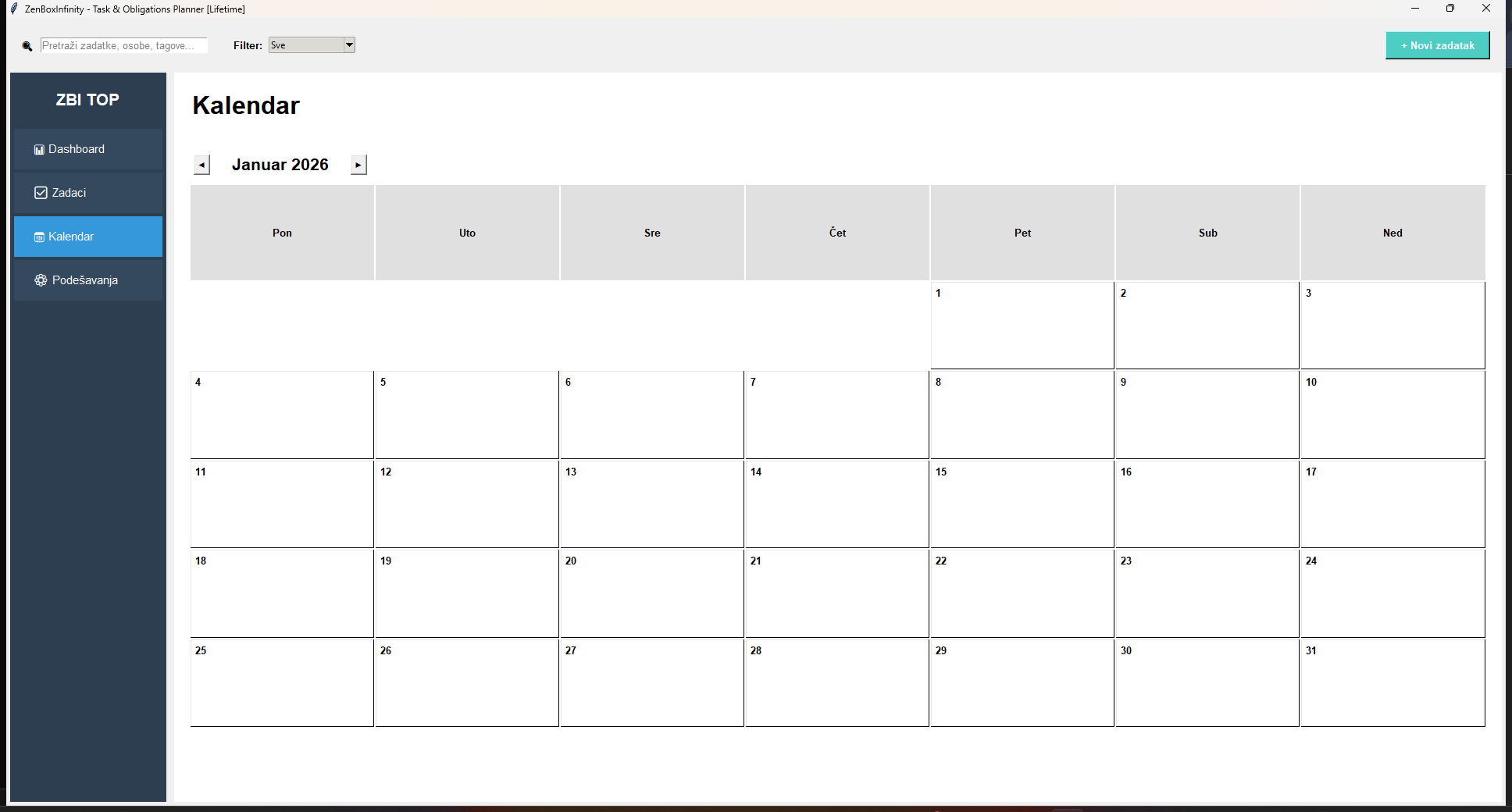


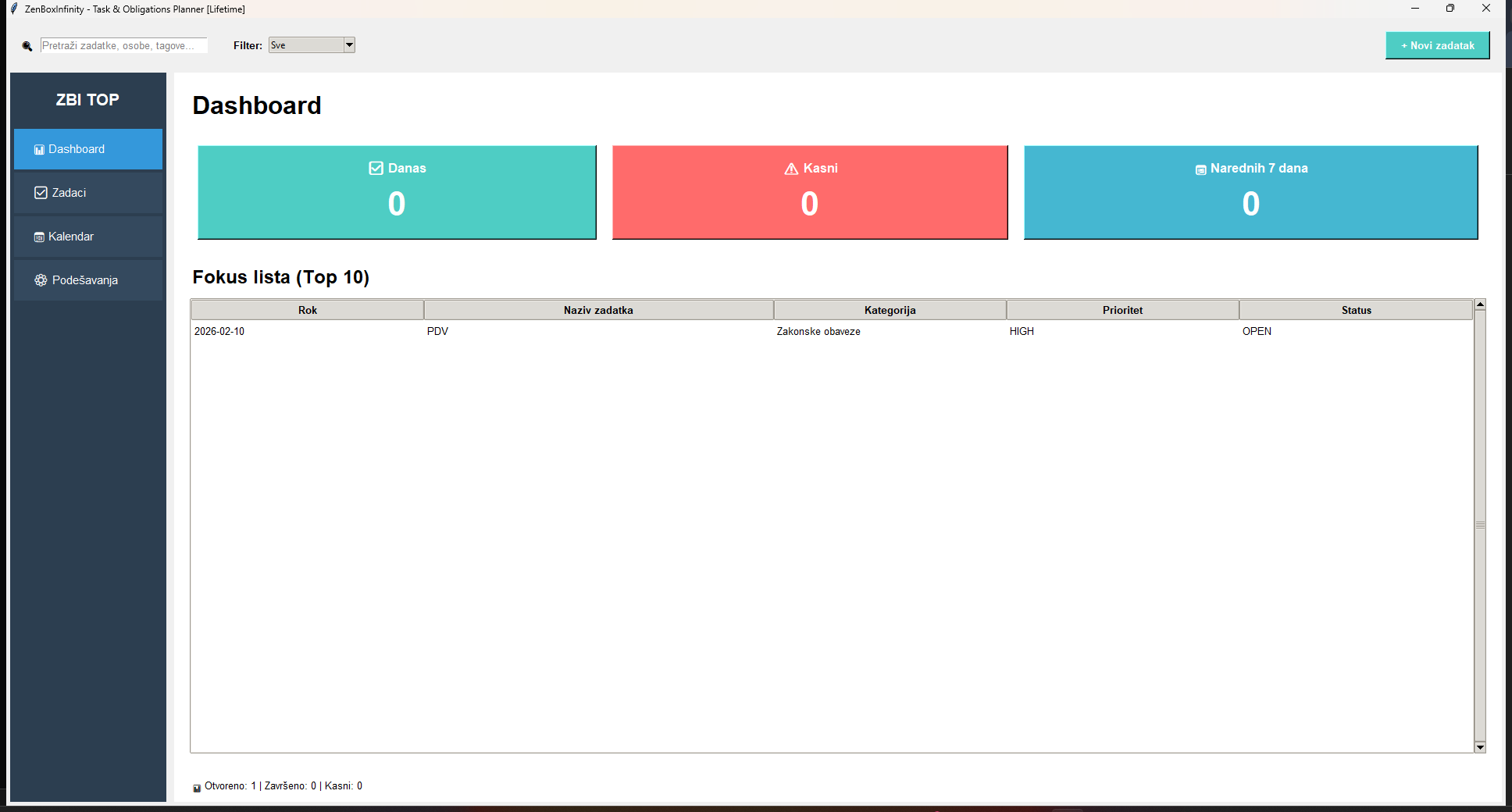

Tasks: owners, deadlines and priorities (LOW / NORMAL / HIGH)
Practical capabilities
Deadline modules that keep owners and due dates explicit
Real modules from the application — explained as daily business use, not as a feature dump.Dashboard
Today, overdue, next-7-days and Top-10 views so the day starts from what needs action.Tasks & priorities
Deadlines with owners and priorities (LOW / NORMAL / HIGH) plus Open / Done / Late status.Recurring templates
Legal, finance and service repeats (daily/weekly/monthly/yearly) that regenerate the next cycle.Responsible persons & categories
Named owners and categories so obligations are not anonymous chat reminders.Calendar & search
Due and overdue work by day, with search across categories and persons.Auto-backup on launch
Automatic backup when the application starts (keeps recent copies) plus manual backup/restore.Five languages
Interface localization for teams that work in more than one language.Excel export
Export task lists for management review or audit follow-up.Compared with Excel
- Excel lists tasks; TOP supports deadline ownership, recurring templates and calendar view.
- Overdue work is harder to ignore when status is part of daily use.
- The team shares one obligation application instead of personal reminder habits.
Why not stay in spreadsheets?
Why TOP is better than Excel task lists for obligations
Excel can list tasks, but recurring obligations with owners and due dates need a planner that regenerates the next cycle — not a static reminder column.Implementation
Migrate real recurring obligations first — not generic to-do items
- List obligations that already cause pain when missed (tax, contracts, service).
- Create recurring templates with responsible persons and categories.
- Review calendar each morning for due and overdue items.
- Export monthly for management review; backup on schedule.
Check TOP against the obligations you already fear missing
Start from pricing or request a walkthrough with your real recurring list.FAQ